What's New in Rize
The product has changed fast. These are the updates that matter most.
If you have not looked at Rize recently, start here. The biggest recent changes include live background tracking, a new suggestion review panel, smarter AI auto-tagging, org-level customization controls, rebuilt modals, and expanded integrations.
Stay up to date with the latest features, improvements, and updates to Rize. Visit rize.io/changelog for the full changelog.
May 2026 Product Update
May 12, 2026
A big month for Rize. The headline: Rize now creates time entries live, reviews them in a brand-new panel docked to the day calendar, and ships a new way to calculate Work Hours that finally matches how teams actually think about their day.
1. Background Tracking — Live Entries That Finalize Themselves
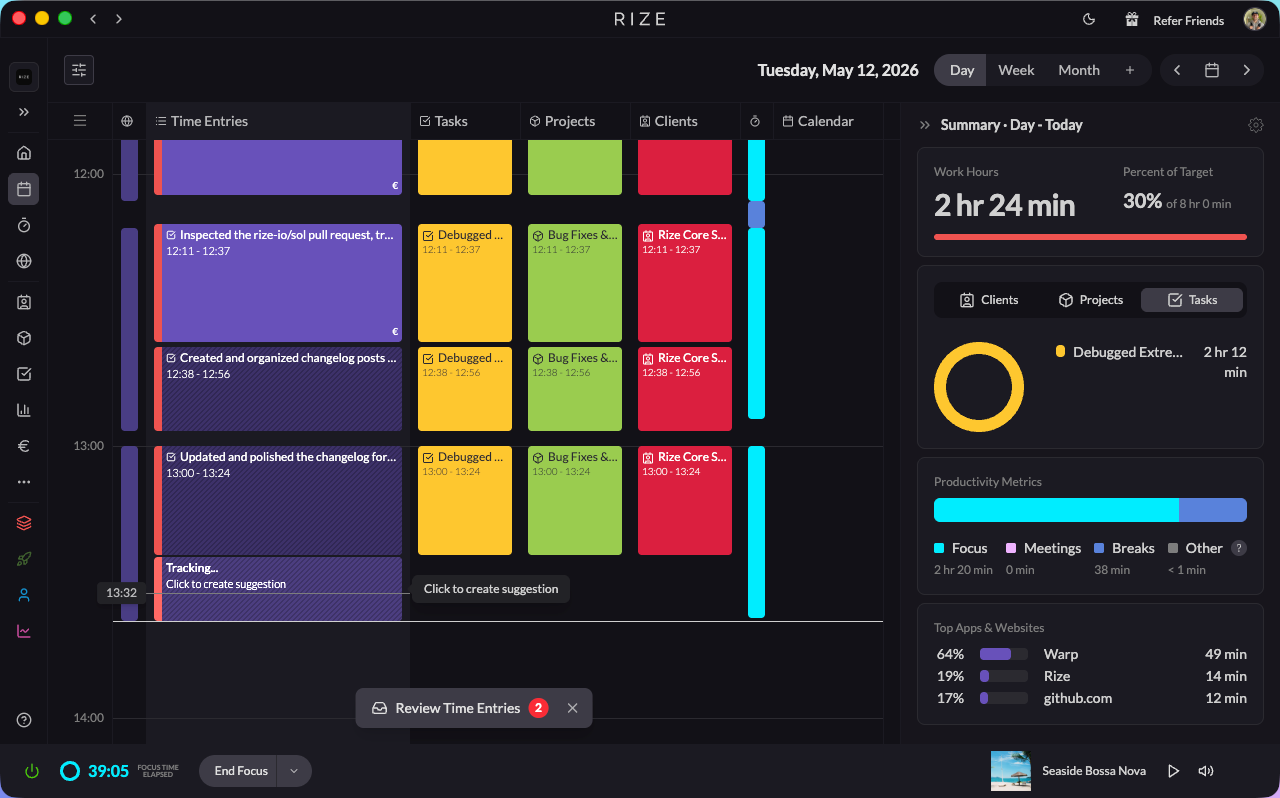
Instead of batch-creating suggestions after the fact, Rize now creates a tracking time entry on your calendar in real time as you work. Better suggestions, more accurate clients, projects, and tasks, and team color on every entry.
Learn more: Tracking Overview | Suggestions Settings | Full announcement
2. New Suggestion Review Panel on the Day Calendar
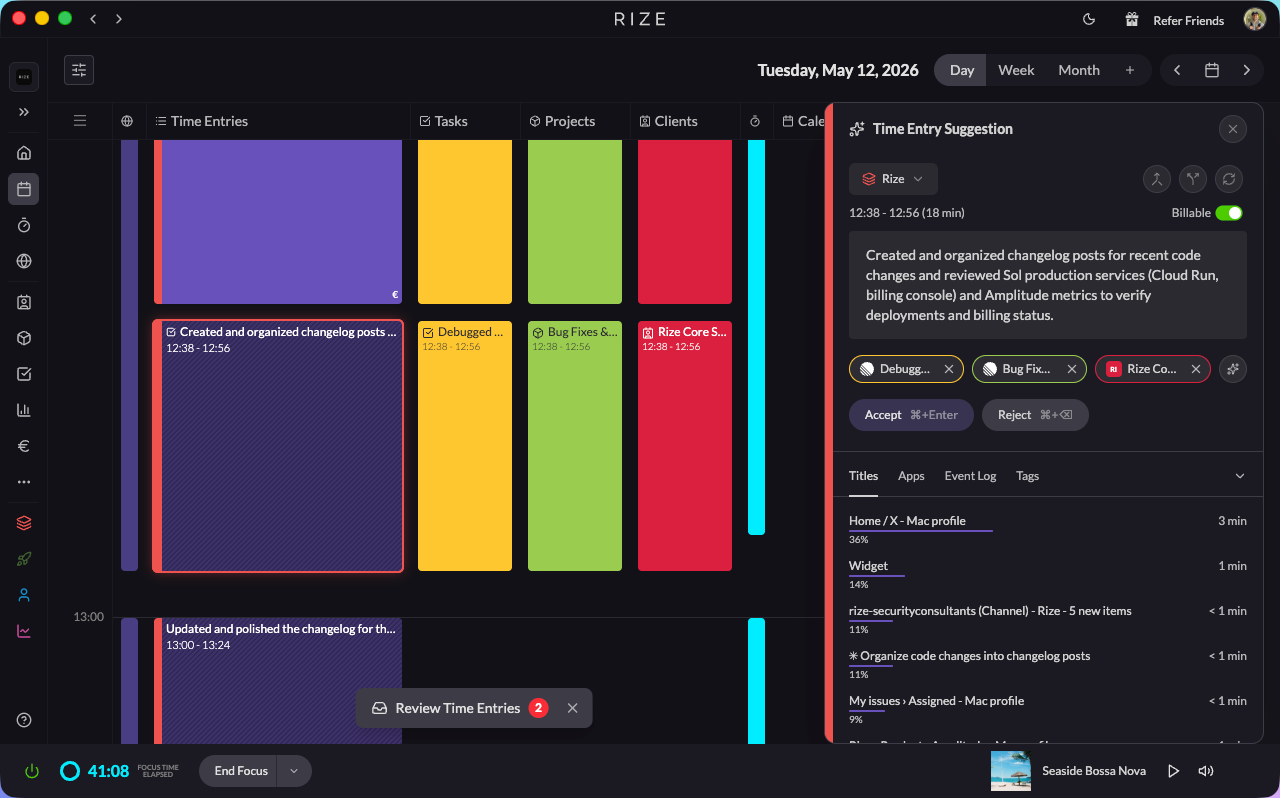
Click any pending entry and a panel slides in on the right with all your context — apps, websites, event timeline, tag suggestions with confidence scores, and the ability to create a task in Rize, Linear, or ClickUp without leaving the panel.
Learn more: Suggestion Review Panel | Full announcement
3. Rebuilt Time Entry, Task, Project & Client Modals
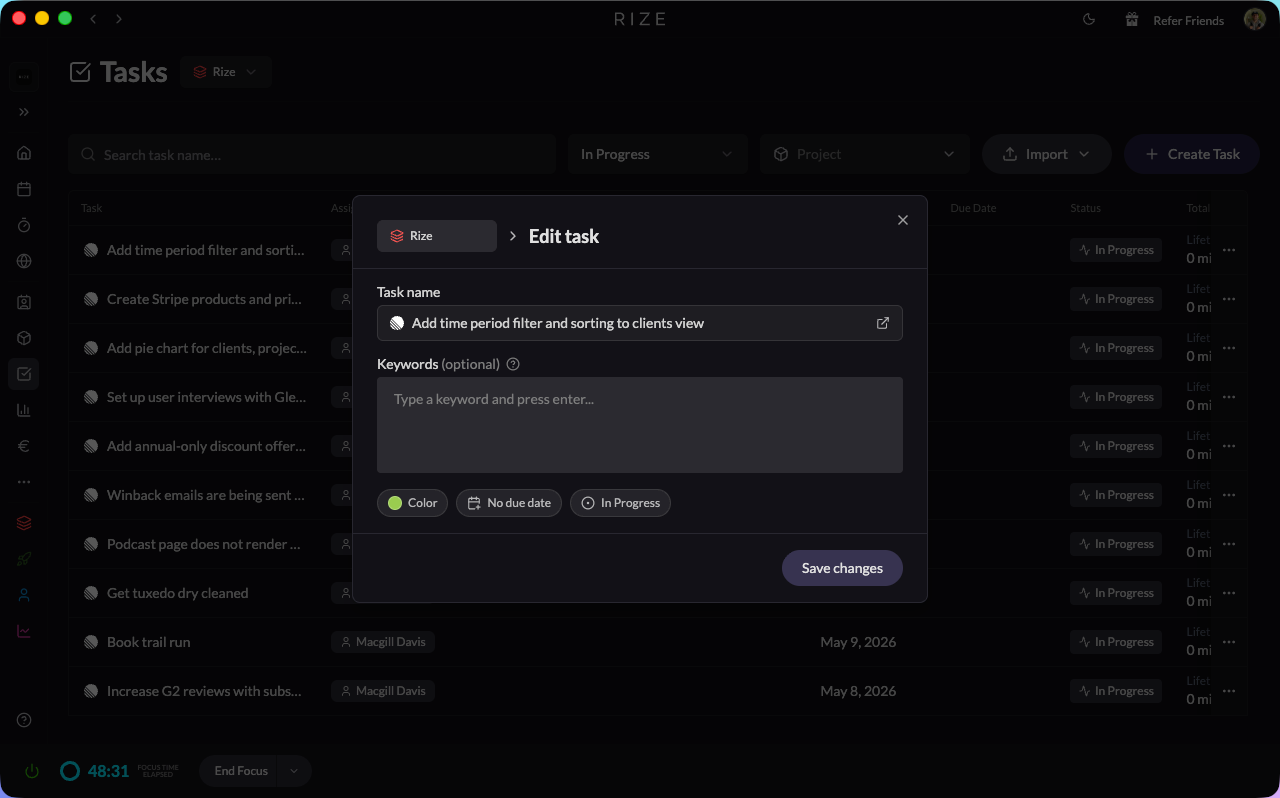
- The forms you use every day are cleaner and more consistent
- Tasks and projects now have due dates
- Mark individual time entries as billable with a single toggle
- Create ClickUp, Linear, or Jira tasks from the same form as native Rize tasks
4. Pick How Rize Generates Suggestions
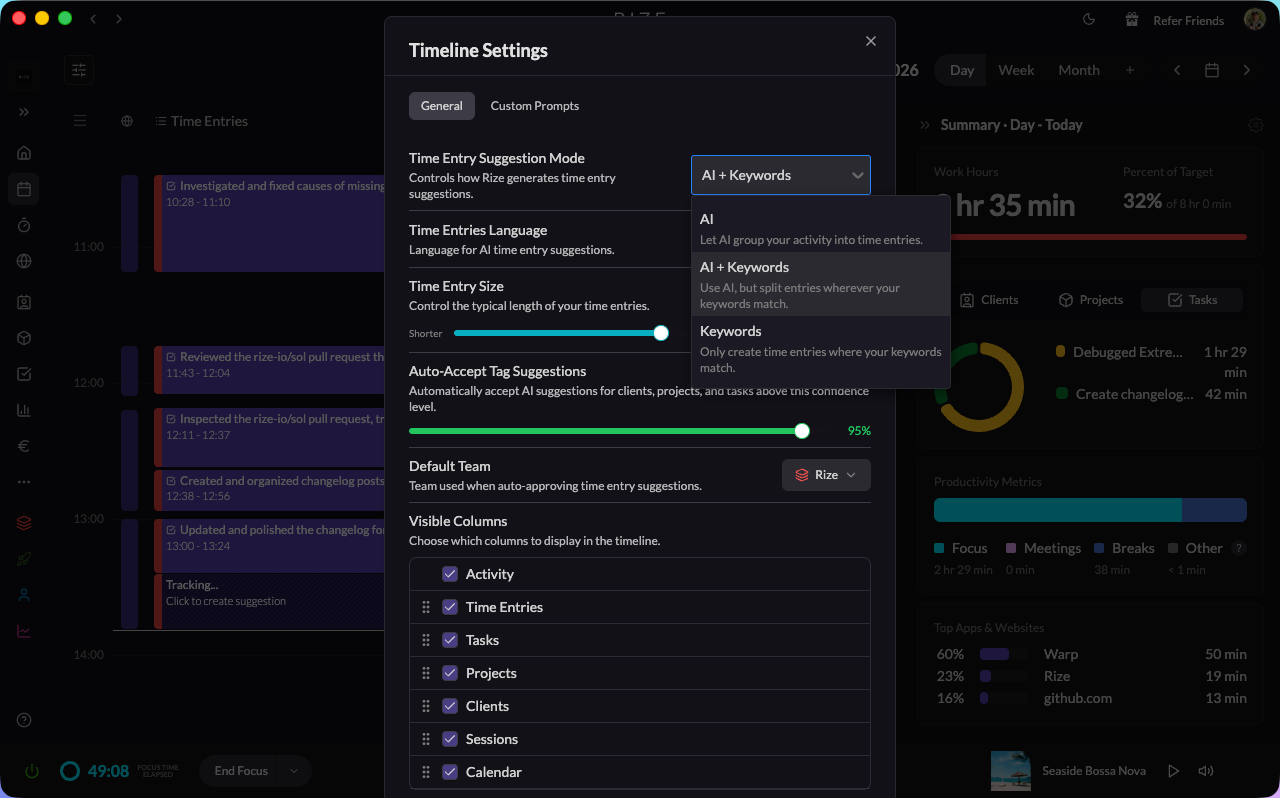
- New Suggestion Mode dropdown in Settings → Time Entries with three options: AI, AI + Keywords, or Keywords only
- Use the Time Entry Size slider to lean toward shorter or longer entries
Learn more: Suggestions Settings
5. Smarter AI Auto-Tagging
- Auto-tagging now pulls from more signals — keywords, past entries, calendar events, and linked tasks — so more entries are tagged correctly without you having to touch them
- Every tag suggestion now tells you, in plain English, why Rize suggested it
Learn more: AI Features
6. Customize Your Timeline
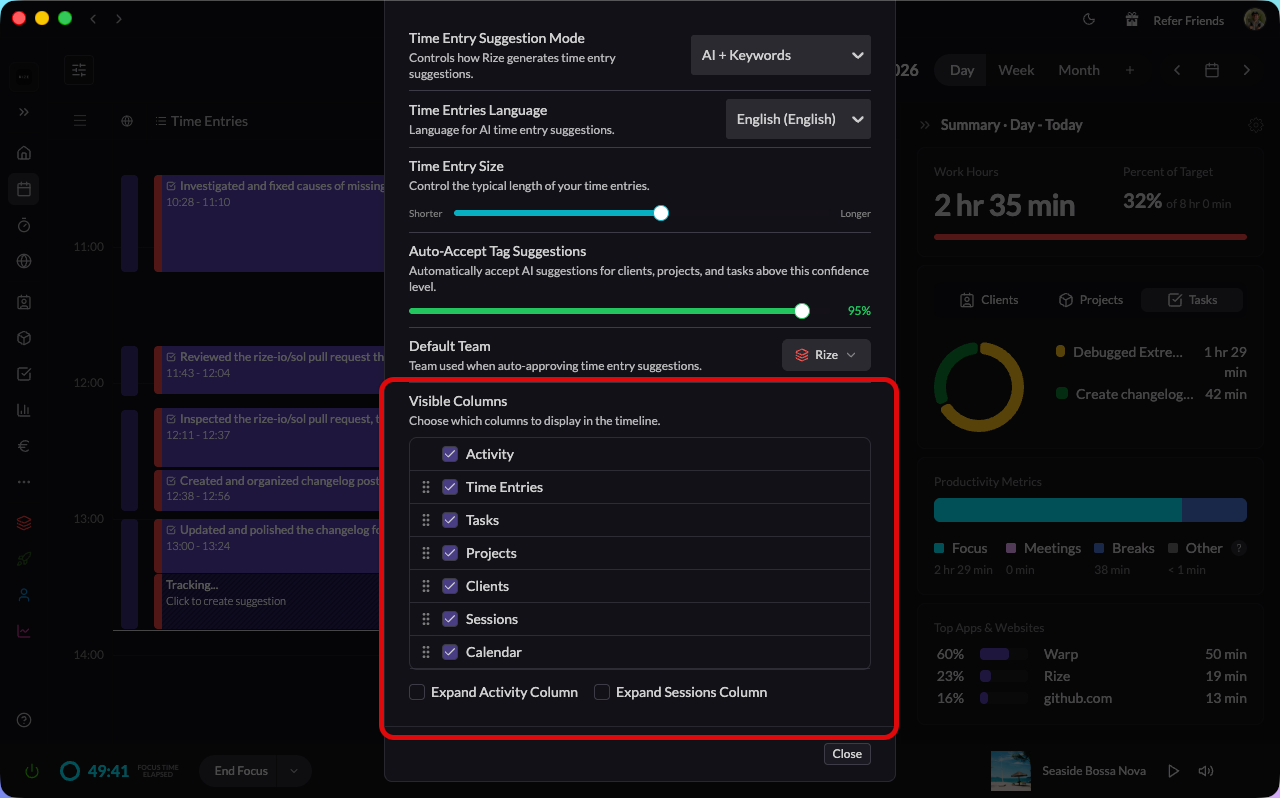
- Show or hide any column on the vertical timeline
- Drag columns to reorder them
- Rize remembers your layout — the timeline opens the way you left it
7. ClickUp Sync Improvements & Integration Shelf Expansion
- More reliable two-way sync, especially if you connect ClickUp to multiple Rize teams
- New Sync non-member tasks setting for teams that want to include tasks owned by people without a Rize account
- Jira/Notion/Monday/Todoist now available as integrations via Zapier
Learn more: ClickUp Integration | Zapier Integration
8. AI Assistants Can Do More
- Connect Rize to Claude or ChatGPT and ask about your app and website usage via the new
list_my_apps_usedMCP tool - Voice dictation is smarter — it knows your clients, detects overlapping entries, and flags conflicts before you save
Learn more: MCP Server
9. New Admin Controls
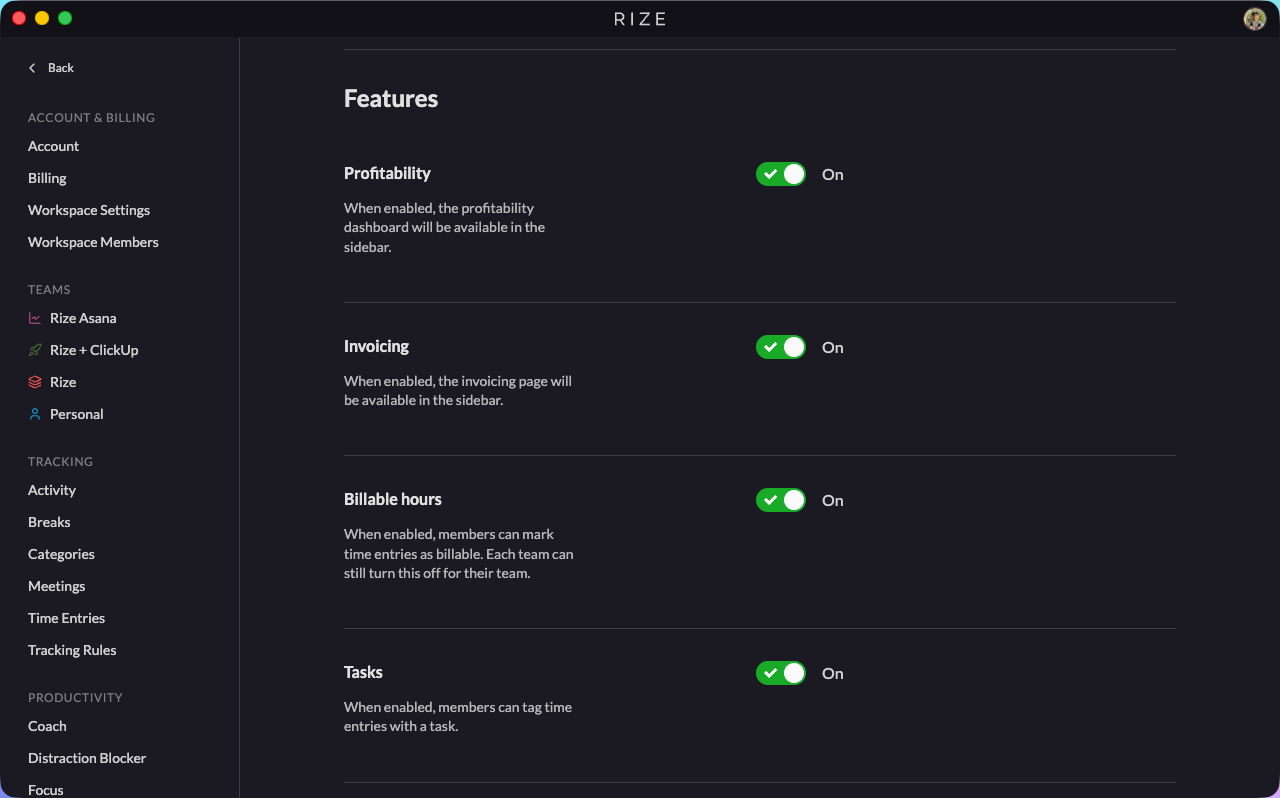
- Admins can turn Tasks, Projects, Clients, Categories, and Billable Hours on or off for the whole organization
- Profitability and Invoicing are now on by default for new organizations
Learn more: Configuring Teams
10. New Work Hours Calculation Method
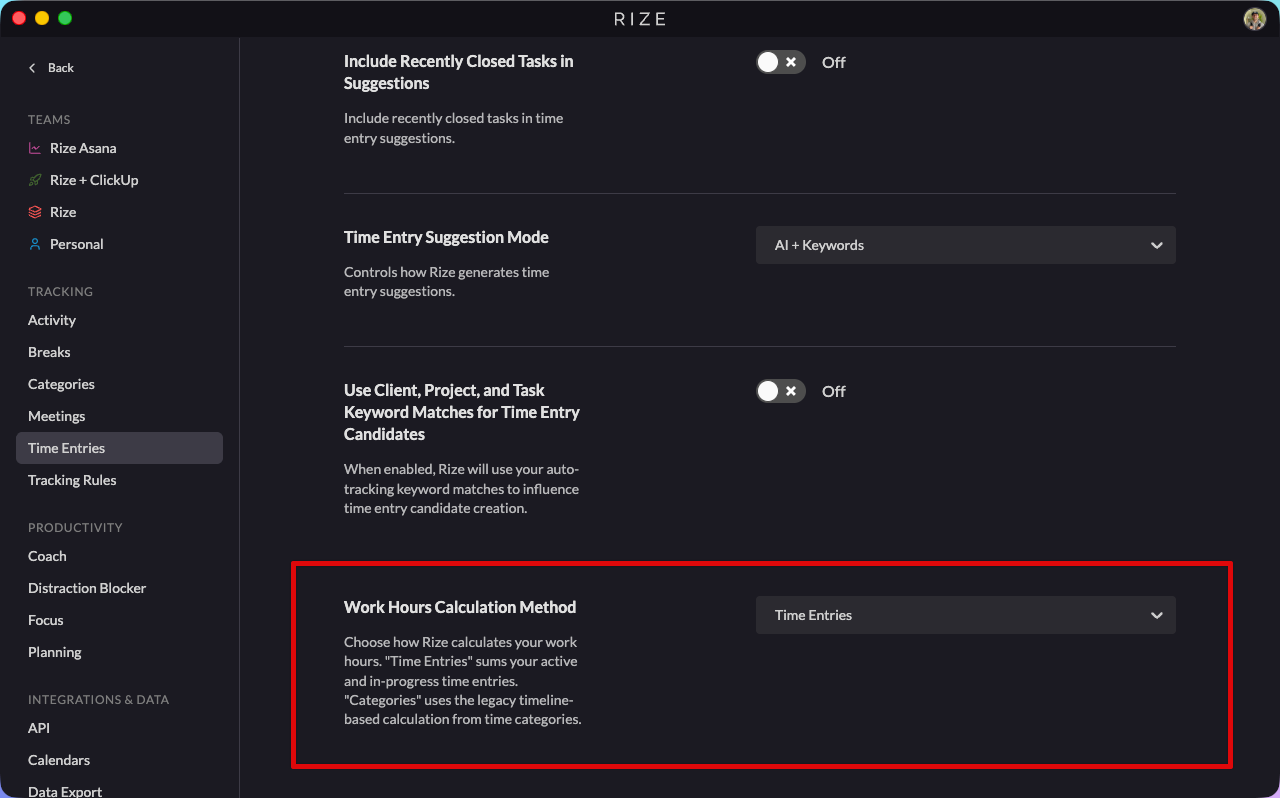
Work Hours can now be calculated from your time entries instead of your categories. Simpler, more accurate for multi-team users, and it excludes break time the way most teams actually want it to. The old category-based calculation is still supported.
Learn more: Setting Work Hours | Full announcement
Bug Fixes
ClickUp & integrations
- Time entries now attributed to the right person on multi-assignee tasks — If you logged time on a task you didn't create, it was being pushed to ClickUp under the task creator instead of you. Fixed.
- ClickUp tasks owned by people without a Rize account are no longer skipped when syncing
- Reconnecting ClickUp no longer drops sync events
- Brand-new ClickUp tasks now sync immediately instead of waiting for the next sync cycle
Tracking accuracy
- No more phantom 5-minute “No activity” entries — Some users were waking up to dozens of tiny tracking entries that crystallized overnight. All four root causes are fixed.
- Work Hours no longer counts future time on today's view — A calendar entry running 2pm–9pm, viewed at 8pm, used to add the full 7 hours to your total. Now capped at current time.
- Weekly breakdown no longer swaps meeting time and break time
- Tracking entries no longer overlap meetings on the timeline
Reports & dashboards
- Historical Performance dates no longer show the wrong month for US users
- Single-day reports no longer return two days of data
- Non-admin org members no longer see billable rates (field-level auth + PDF column gating)
Clients
- Clients are no longer duplicated across organizations when imported
- Archiving and restoring clients across teams now behaves correctly
UI polish
- Mobile navigation menu rendering fixed
- Sidebar team icons now display correctly when collapsed, and the sidebar opens by default
- Tag pills no longer push other controls off the row
- Tooltips and activity bars render correctly across the app
March 2026 Product Update
March 26, 2026
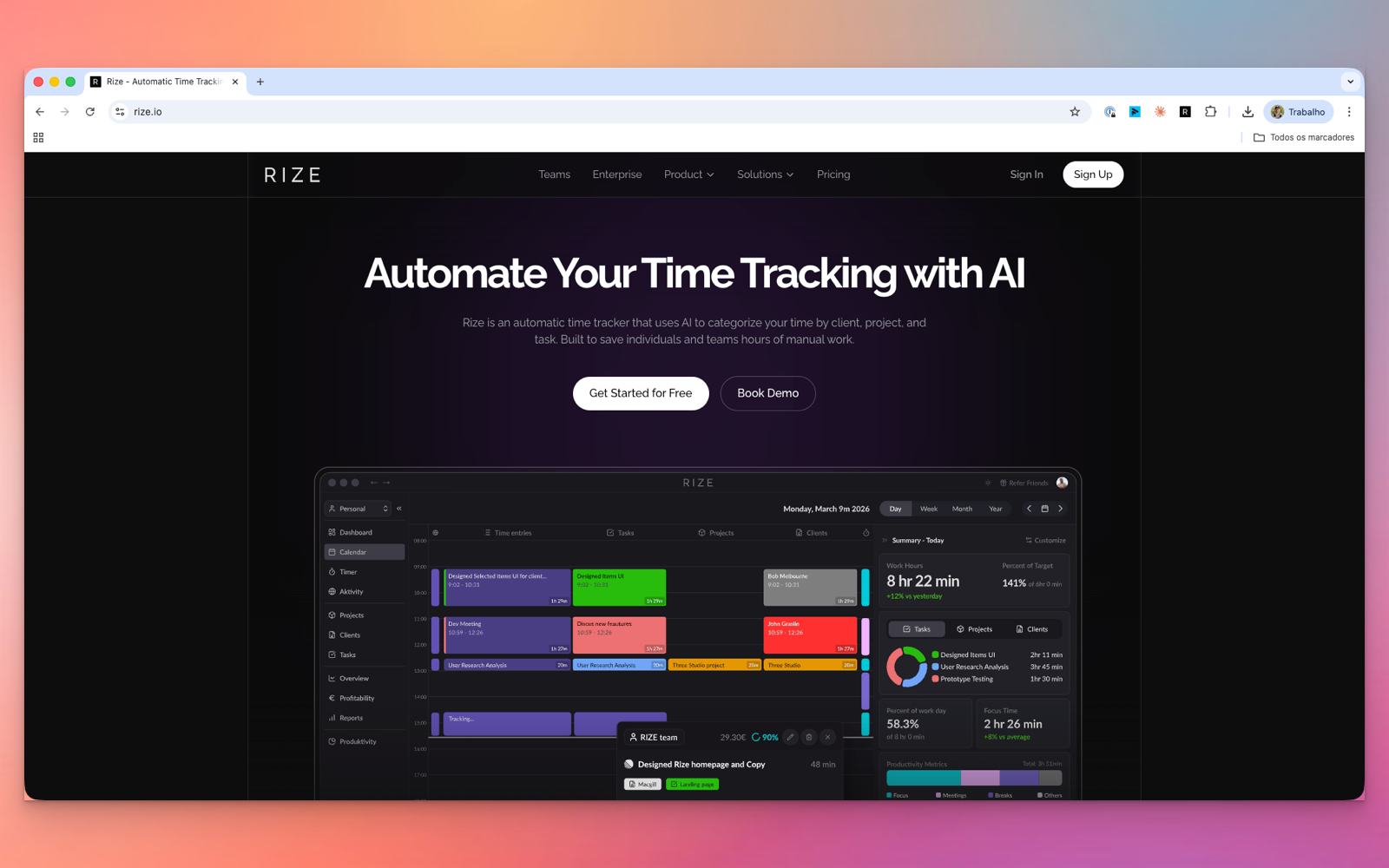
Custom Dashboards
Build dashboard views around team utilization, client health, profitability, focus, and workload allocation with drag-and-drop widgets and templates.
New Calendar and Home Views
Daily review and historical analysis are now separated into purpose-built views so the product is easier to navigate and more useful for admins.
AI Confidence Score and Auto-Tagging
Suggestions now show confidence scores and can automatically apply tags when they pass your chosen threshold.
New Members View
Team admins now get stronger member management, CSV import, analytics, and timeline visibility from a cleaner members experience.
New Settings Experience
Settings are more organized, easier to navigate, and more consistent for org members, billing setup, and workspace administration.
Asana Integration Beta
Rize can now sync with Asana for task-based time tracking alongside ClickUp and Linear.
Rize 2.3.4 — AI Tagging & Feedback Survey
November 21, 2025

- GPT-5-powered auto-tagging and activity summaries
- New time entry suggestion controls: ideal length, minimum length, custom instructions
- Updated shortcut: CMD/CTRL + SHIFT + U for merge with previous entry
- Bug fixes for dashboard, focus sessions, and authentication
Time Entry Inbox 2.0
November 13, 2025
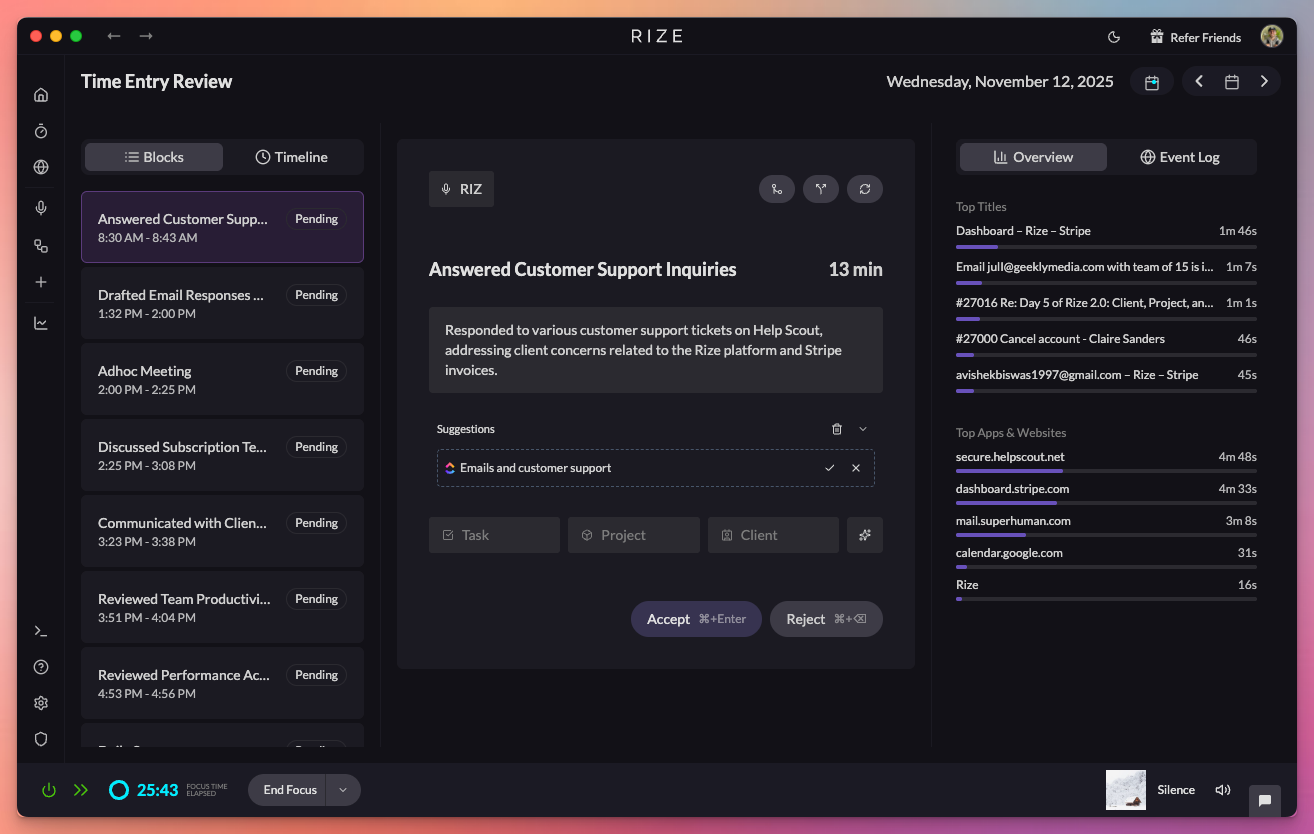
- New inbox for reviewing time entries quickly with block or timeline views
- Context panel showing apps, windows, websites, and activity logs
- Keyboard shortcuts for fast tagging
- Quick actions: merge, split, regenerate
Learn more: Time Entry Inbox Documentation
Rize Workspaces 2.0
November 6, 2025
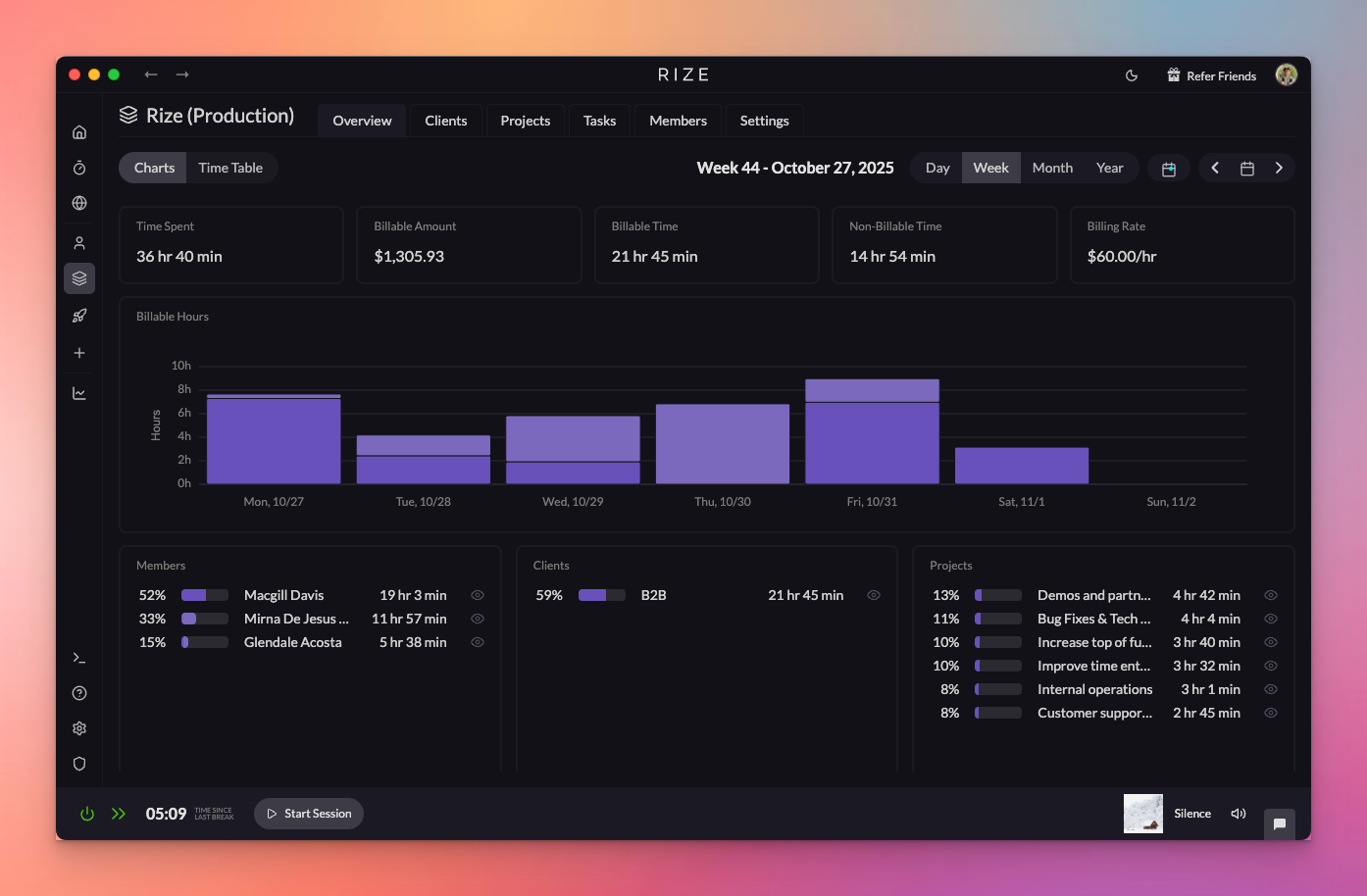
- Automatic time tracking for your entire team or agency
- Shared clients, projects, and tasks across your workspace
- ClickUp and Linear integration for teams
- Dashboards, reports, and billable vs. non-billable hours tracking
- Privacy-first: no monitoring or screenshots
Learn more: Teams Documentation
Time Entry Suggestions 2.0
November 5, 2025
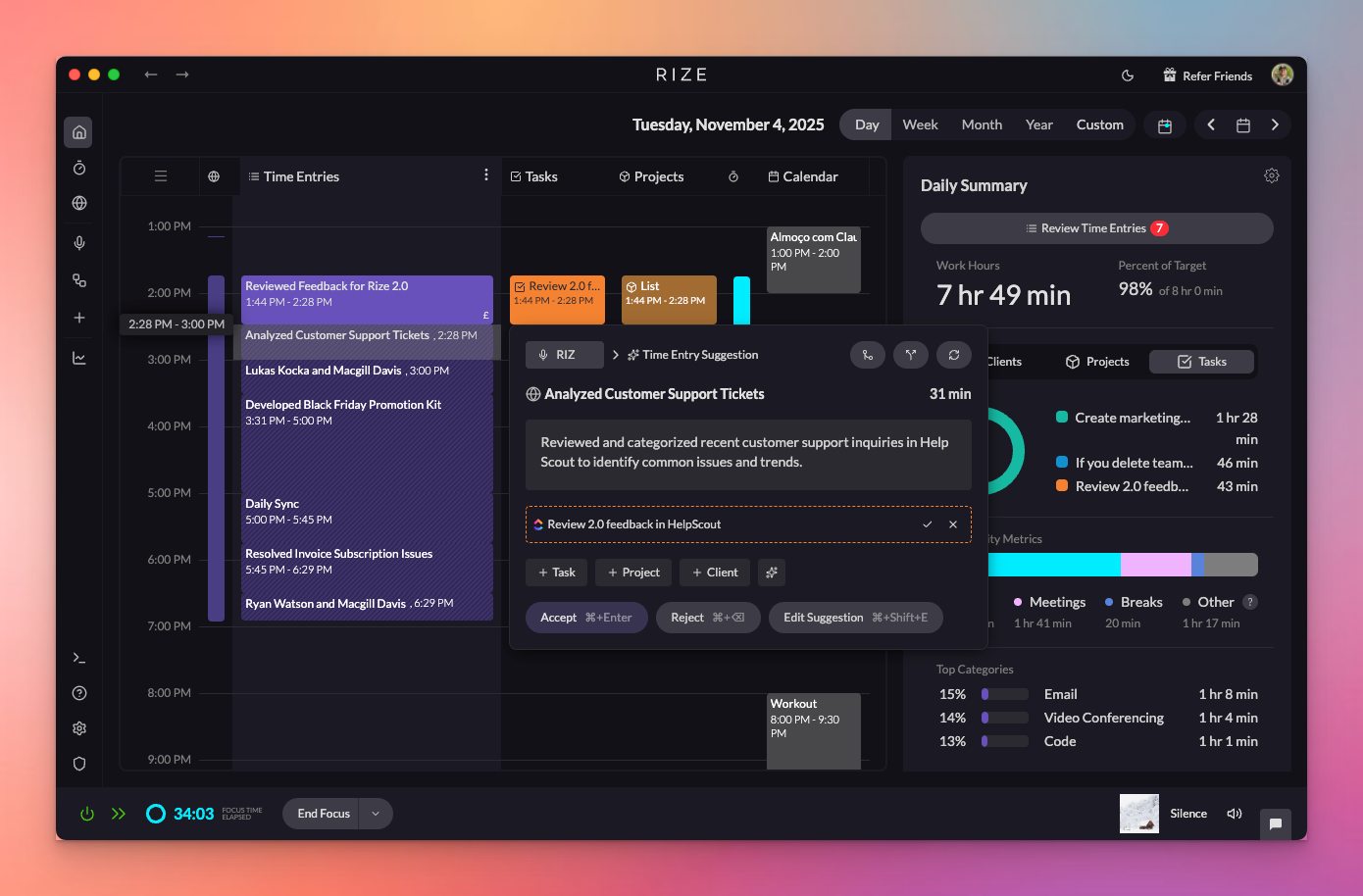
- Rebuilt time entry suggestions with AI-powered automation
- Privacy-first in-focus window tracking (no screenshots)
- Activity blocks grouped and annotated with titles and descriptions
- Smarter tagging combining keyword rules and AI
- Auto-Approve mode, target size adjustments, language settings
Learn more: Time Entry Suggestions Settings
AI-Powered Time Entry Suggestions
October 22, 2025

- Initial launch of AI-generated time entries
- Automatic splitting of your day into work sessions
- AI annotations with titles, descriptions, and client/project/task suggestions

Learn more: AI Features Overview
Rize Teams Product Hunt Launch
July 29, 2025
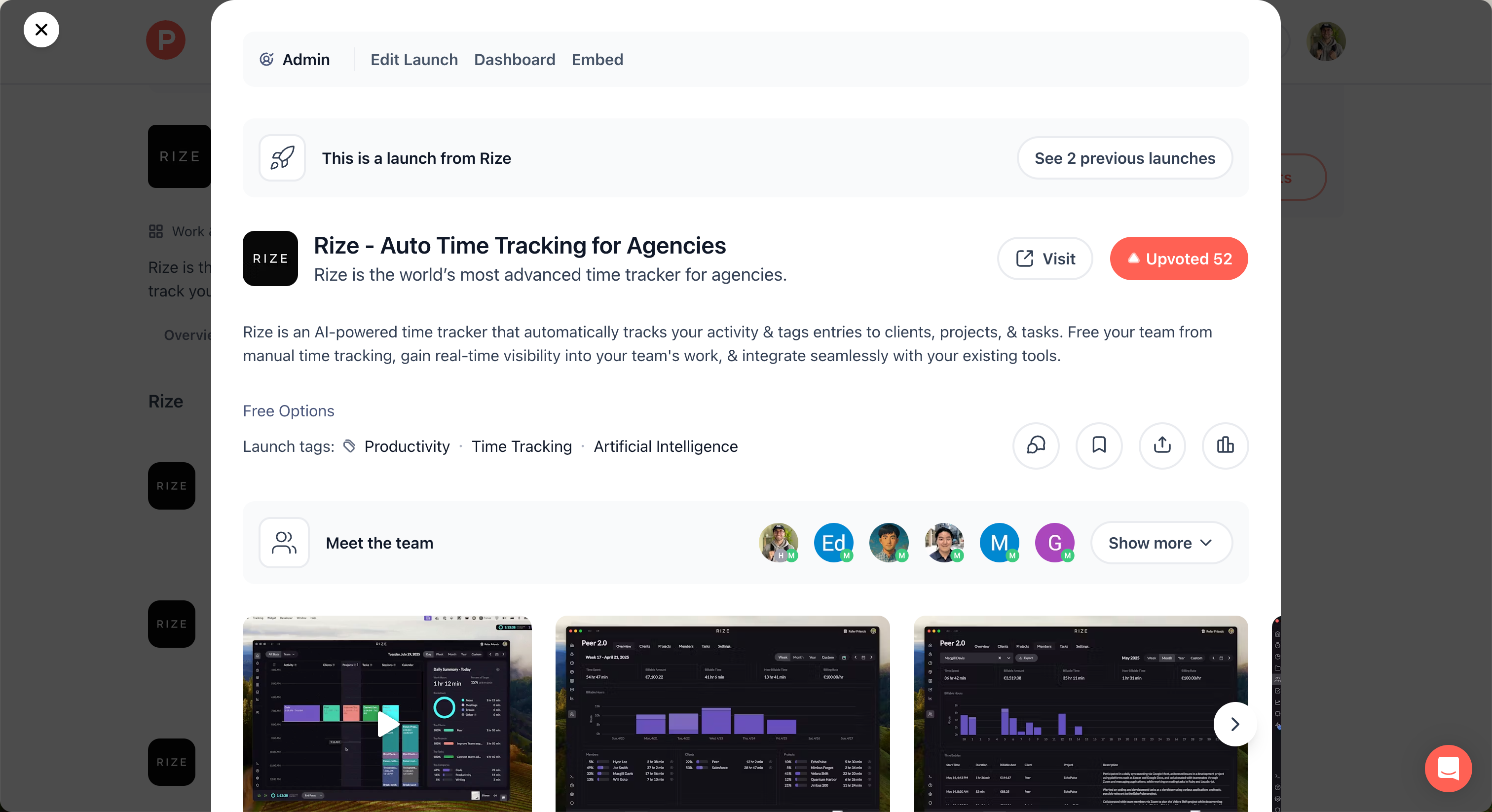
- Automated, accurate time tracking for teams
- AI-powered time entries with full activity context
- Real-time team visibility dashboard
- Billable hours and PDF report exports
- ClickUp and Zapier integrations
Rize Teams
May 15, 2025
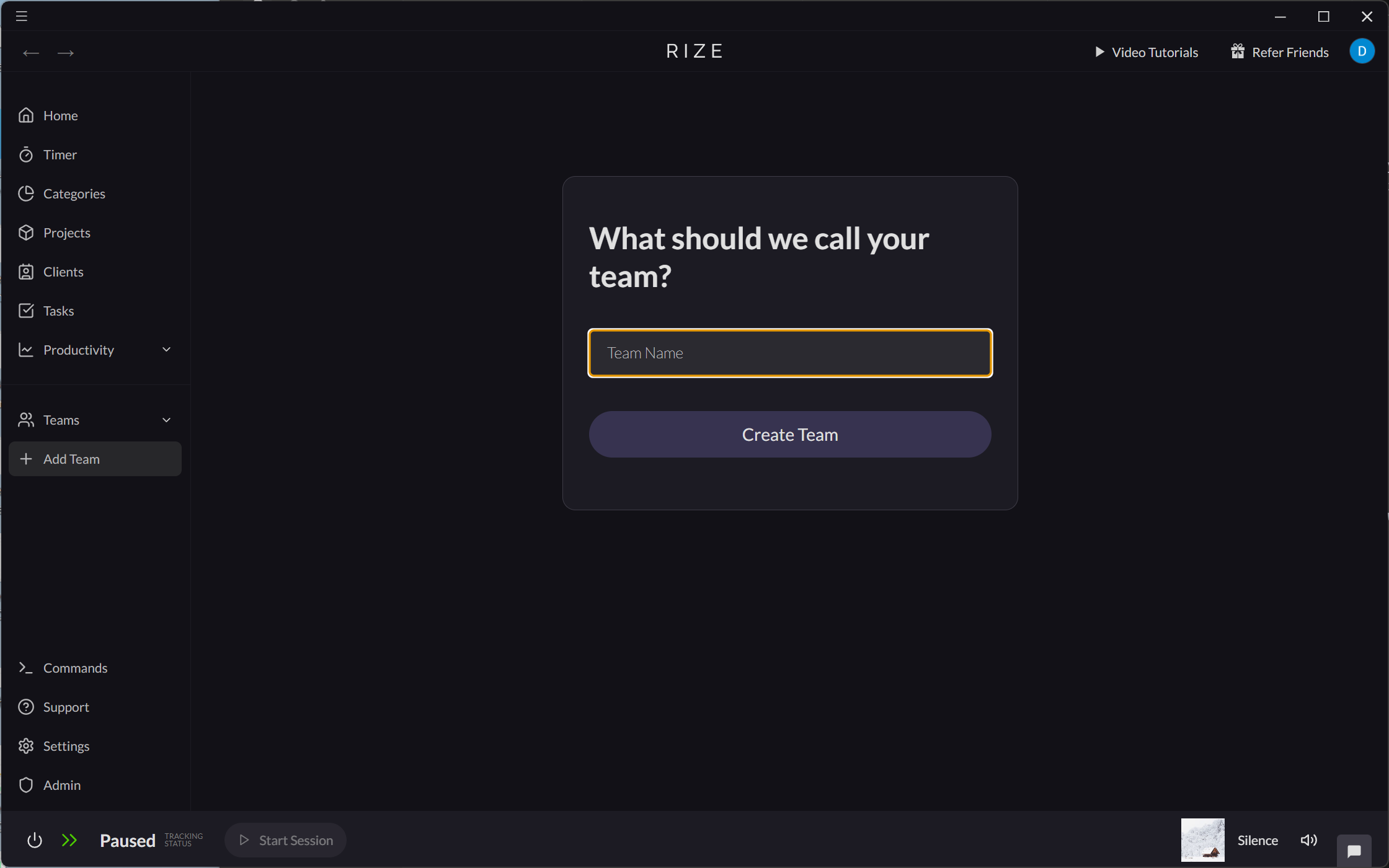
- Team-based time tracking and billing
- Shared clients, projects, and tasks
- Team member invitations and role management
- Billing rate strategy options
Learn more: Teams Documentation
Set Hourly Rates for Clients
May 13, 2025
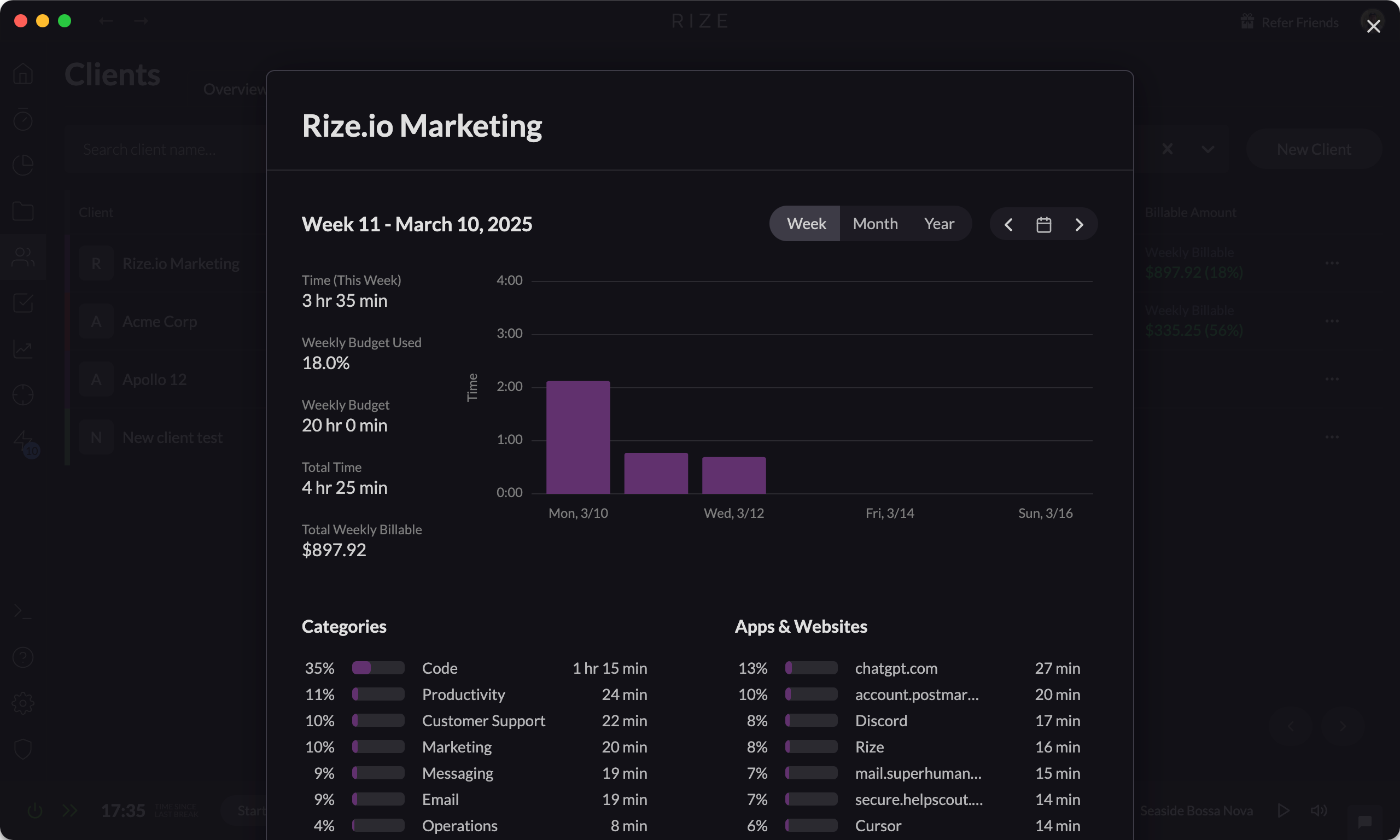
- Hourly rate tracking per client
- Real-time earnings calculation
- PDF report exports for invoicing
- Billable vs. non-billable tracking
Learn more: Hourly Rates for Clients
The Rize Session Timer
July 6, 2023
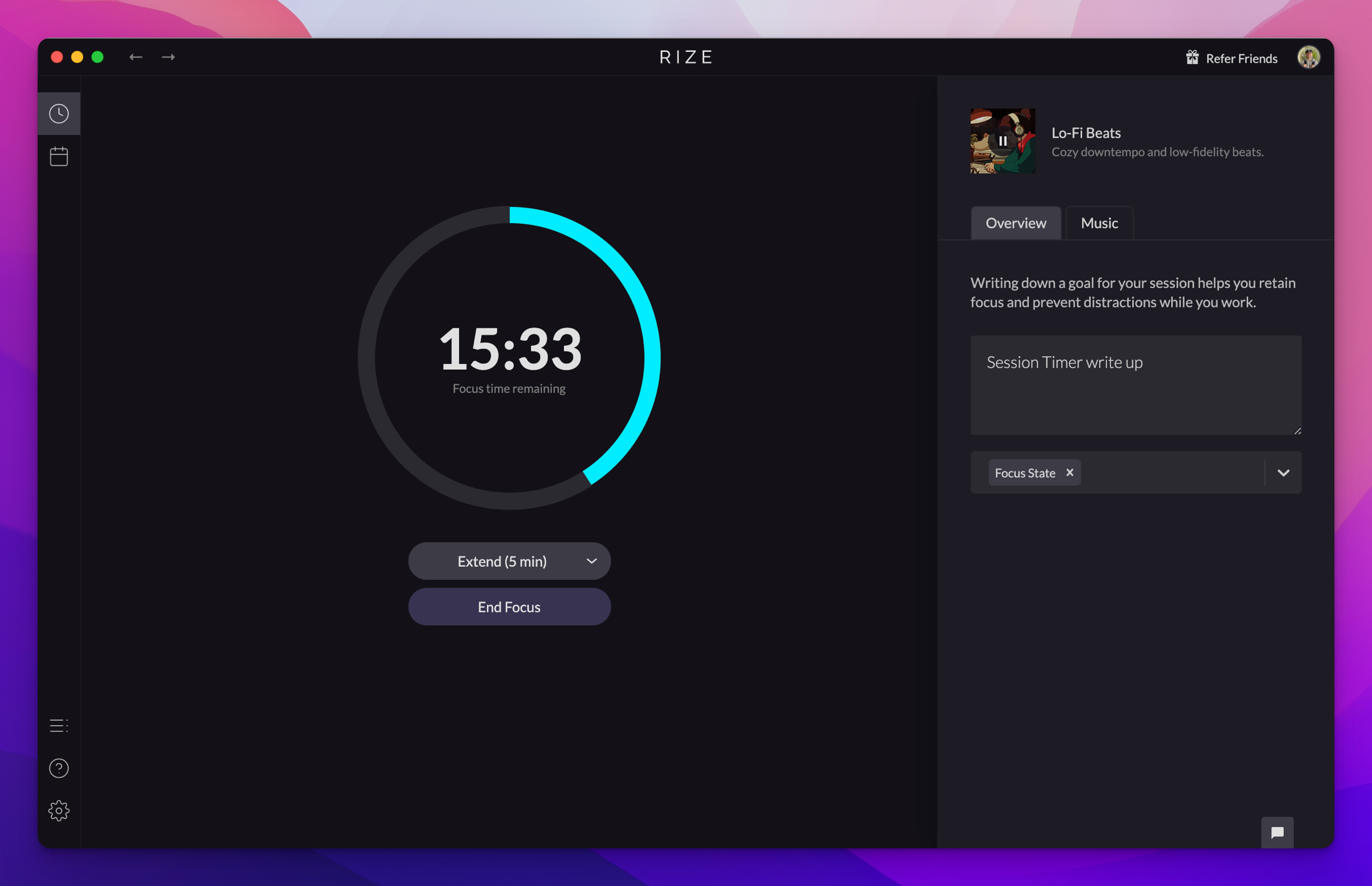
- Focus Sessions, Breaks, and Meetings with built-in timers
- Music selection for focus or guided meditations for breaks
- Focus Quality Score with 20+ attributes
- Context switching and app distraction tracking
Learn more: Sessions Overview
For the complete changelog, visit rize.io/changelog.